The CRM that closes the roof.
From the first knock to the final check. DRIEDIN runs your reps, your claims, your estimates, your crews and your pay in one system, built inside a storm restoration company that knocks doors every day.
- Door knocked
- Inspection & photos
- Claim filed
- Adjuster approval
- Estimate & orders built
- Crew scheduled
- Dried in
- Supplements & final check
- Rep paid
Job secured.
Homeowner protected.
Every roofer knows the moment. The tear-off is done, the deck is covered, and the house is watertight again. That's "dried in." We named the software after it because that's what it does for the whole business: every lead, claim and dollar locked down, nothing left open to the weather.
Generic roofing CRMs weren't built for storm work.
Reps live on the doors
Storm work is sold by knocking. Your CRM should start at the door, not at the inbound web lead.
The claim is the job
Adjusters, approvals and supplements decide what a job is worth. They belong in the pipeline, not in someone's inbox.
Pay has to be right
Draws, commissions and overrides tied to real job status, so reps trust their checks and the office stops rebuilding spreadsheets.
One app, from the porch to the office.
Real screens from DRIEDIN, not mockups. The customer, the reps and the numbers are a sample job.
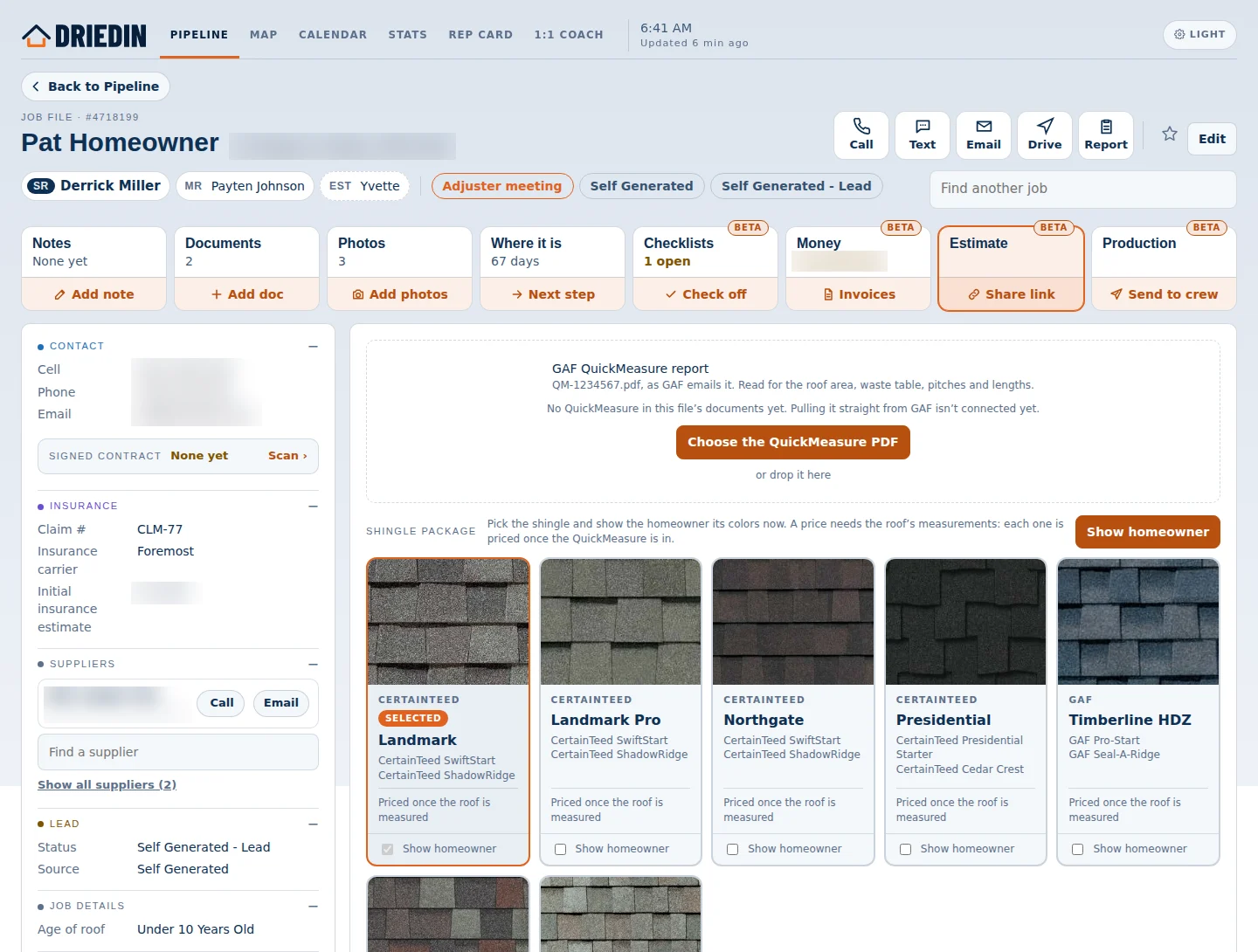
The whole job across the top, every section one click away, and every shingle package ready to show before you sit down at the table.
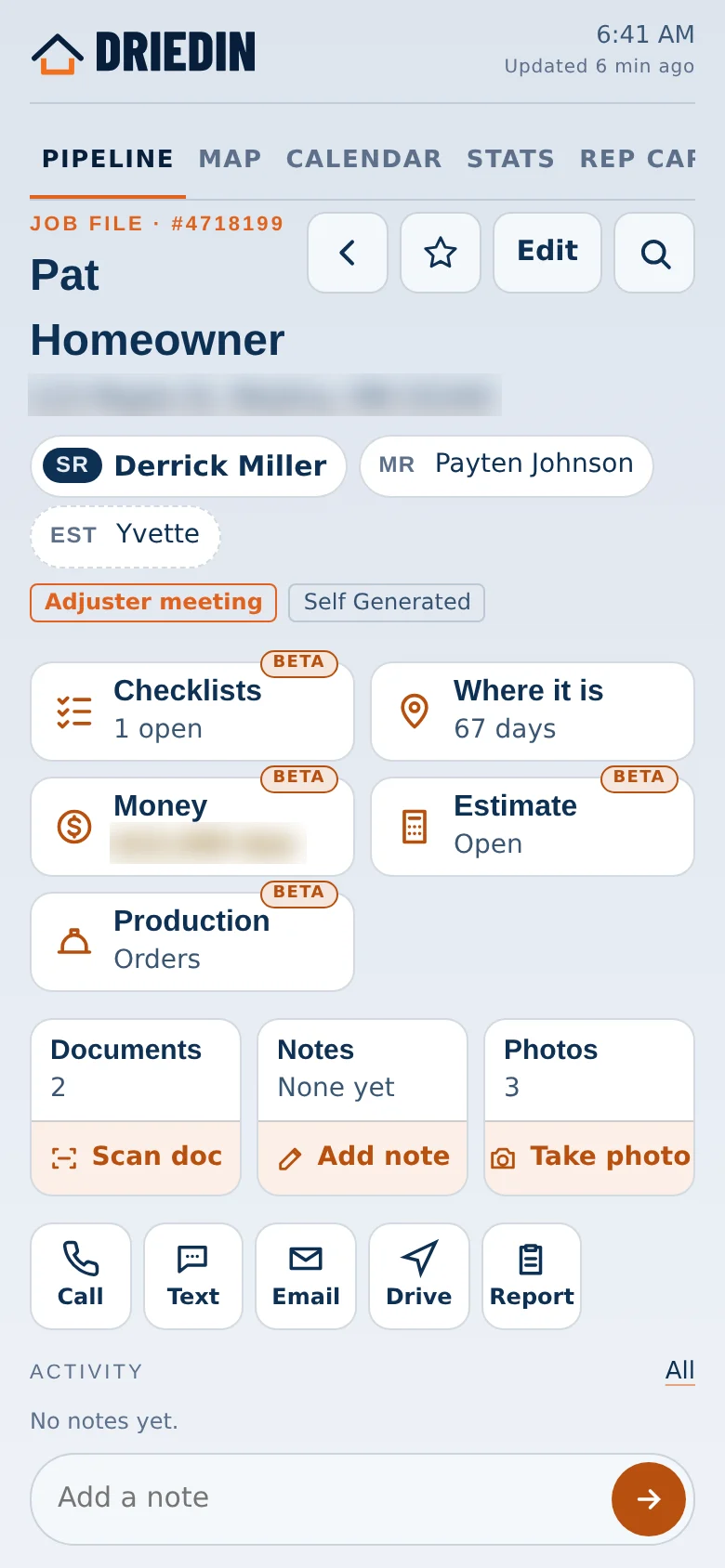
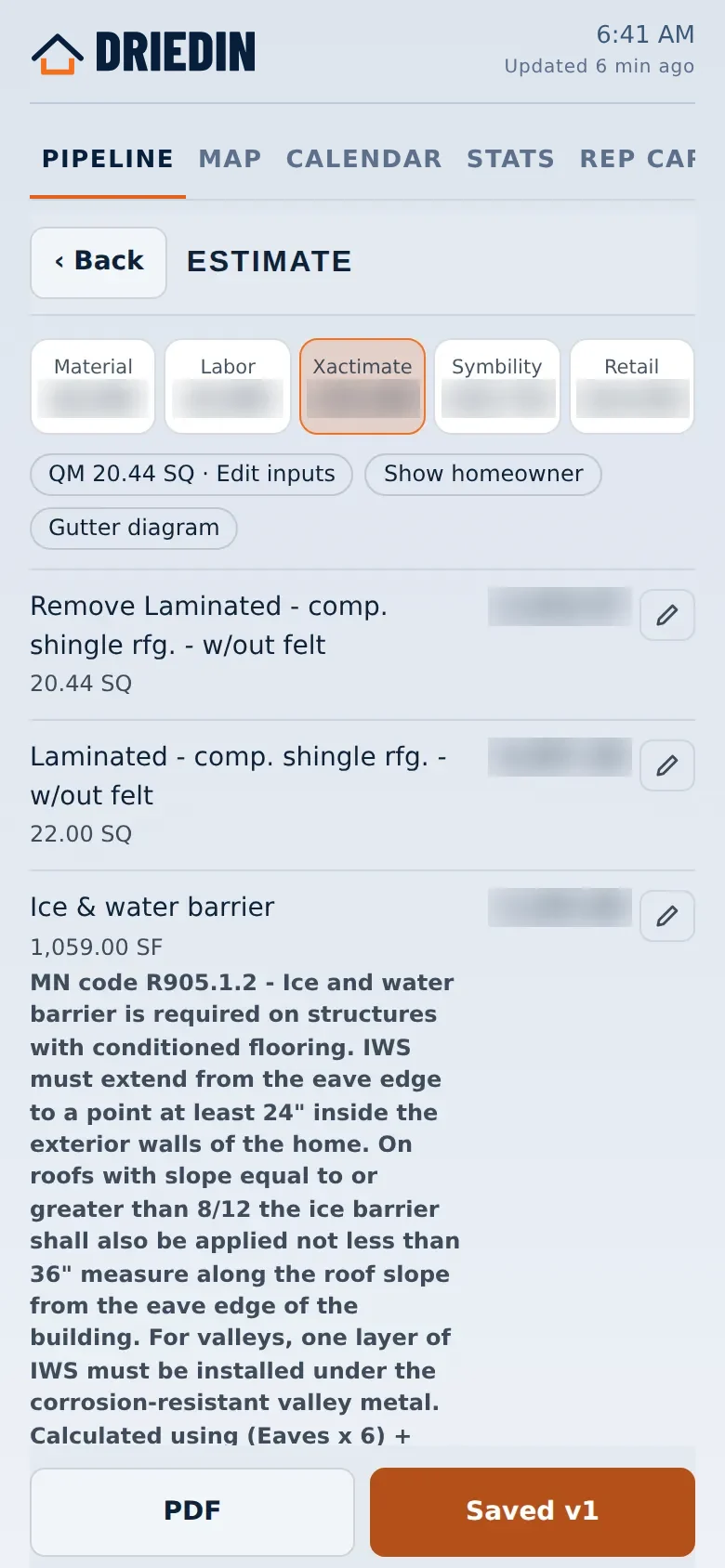
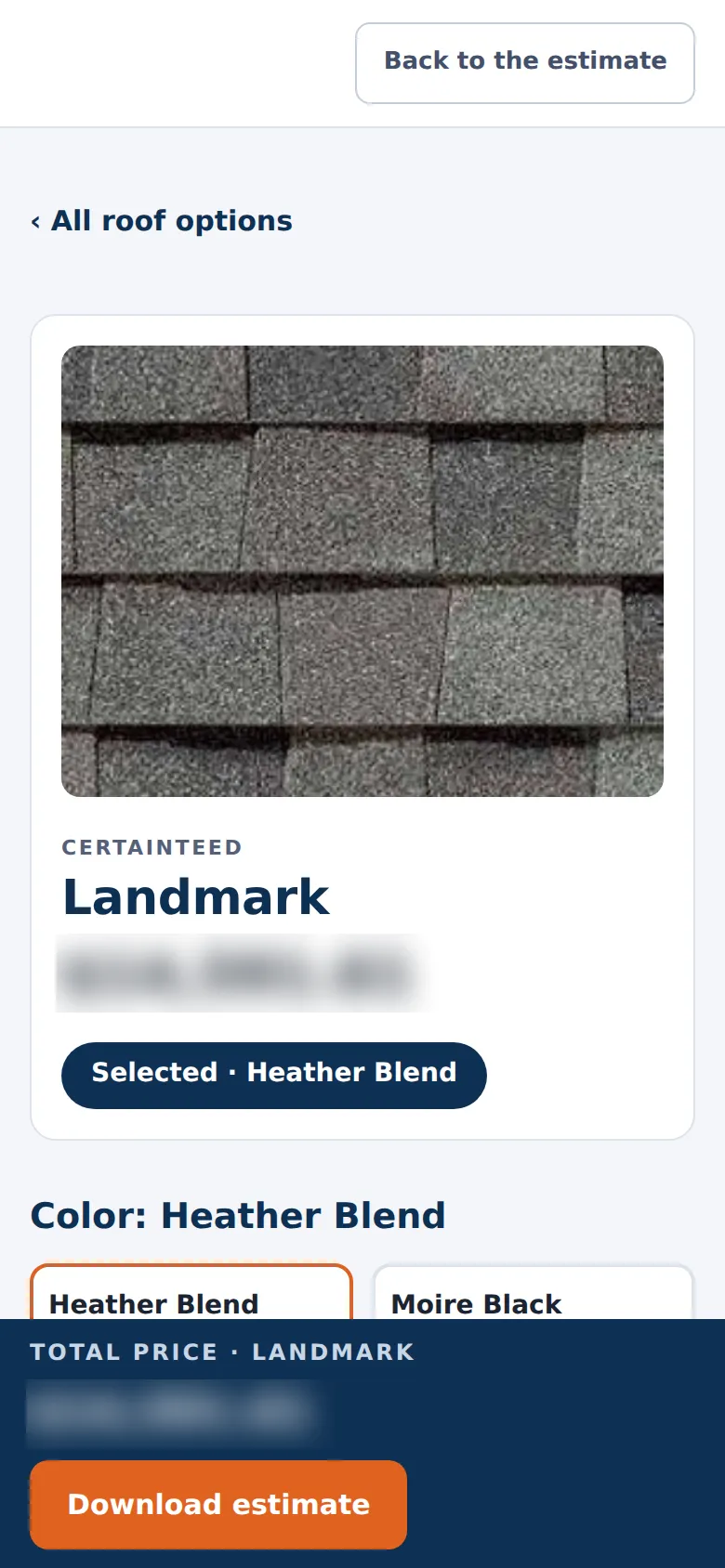
Swipe for more →
Some of what DRIEDIN runs.
At the door
Where storm work starts.
Know the house before you knock
Its hail history, the size of its roof, a ballpark price, who owns it and when it was built, on one map with every knock, lead and job.
No lead slips through
Leads from the door, your ads and your partners become a job file in seconds, get posted to the team, and keep nudging until a rep has them.
Run a blitz
Draw an area on the map and hand it to a rep or a whole team. Only they and their managers see it.
See who's out working
Doors a day, hours on the doors and the knocks that don't add up, so you know who to call out and who to coach up.
Storm alerts and weather
Hail near your offices lands in your inbox, and every build card shows the forecast and the radar for that house.
Photos
A camera built for roofs.
Shoot it once, labeled
Swipe to the side of the house and every photo is labeled as it's taken. Checklists ride along the bottom, and you review before you close.
Works on one bar
Photos wait on the phone until there's signal, then land on the job by themselves.
Every photo sorted
Sides of the house, hail and wind damage, test squares and paperwork, sorted for you so the right photo is one tap away.
Counts that fill the paperwork
Count the vents, pipe jacks and skylights on the roof, and the contract and the estimate fill themselves in.
In the office
Every file in one place.
One file for every job
Notes, photos, documents, emails, events and checklists, the same on a computer or a phone, with what needs attention right at the top.
See what's stuck, and what it's worth
Every pipeline at a glance: what's late, and the dollars waiting at each step, by days, by rep or by office.
Replies land on the job
Every job has its own email address. When the carrier writes back, the reply and its attachments are filed on the job.
A schedule everyone sees
Drag a build to a new day and the crew, the rep and the homeowner all know, on their own calendars.
Search that forgives typos
Find a job by name, address, claim number, job number or phone, even spelled wrong or a digit off.
A home screen for each person
Everyone sets up their own dashboard and menu. Managers can set one for a role and send theirs to the team.
Claims and paperwork
The claim is the job.
It reads the insurance paperwork
Even scans and phone photos. Each trade's replacement cost and ACV, the deductible and the down payment, laid out before you sign.
Supplements don't slip
Every new version of the estimate is tracked, and the job flags when the price on file is under what the insurance approved.
Carriers and adjusters on file
Claims lines, emails and the adjuster off the paperwork, one tap from the job.
Deadlines you can see
The date of loss, and the one-year, two-year and carrier deadlines, on every card before they pass.
E-sign at the table
Your own contracts, filled in on the form and signed on a phone or iPad. Blank lines can't be signed, and the copies email themselves.
Work orders reviewed, not rubber-stamped
Check the signed paper against the paperwork, set the price by trade, approve, and the crew orders and down payment invoice follow.
At the table
Sell the roof, not the paperwork.
Estimates in minutes
One roof report in. The material order, the labor order, and insurance-ready and retail estimates come out.
Homeowners pick on their own phone
Good, better and best packages and every color, painted on a photo of their own house. Your cost never shows.
Real products, real colors
The makers' own shingle, siding and trim lines and their colors for your area, with the brochure swatches.
Your prices, your crews
Set your own labor prices for roofing, gutters and siding, and each trade gets its own crew work order.
Production
Built right, and you can prove it.
The crew gets everything on one link
Work order, photos, measurements and a chat with your office, and the photos and checklists come back to the file.
Permits and QC
Know which cities need a permit, flag a build without one, and work every QC from raised to signed off.
Subs kept in order
Insurance papers read as they come in, reminders before they run out, and agreements signed in their app.
Warranty, tracked
Warranty costs and visits on every job, by crew, with charge-backs taken off the crew's next invoice.
Know your margin by crew
Margin by trade on every job, and by crew across every job they've built.
Money and pay
Pay that matches the job.
Collect what you're owed
Scan a check and the payment fills itself in. Down payment and final invoices go out from the job, and a retail build without a down payment gets flagged.
Deposits matched for you
Bank deposits lined up with the payments on file, so clearing them is one button and a look.
Pay reps can trust
Draws and commissions worked out from where the job really is, every pay period, and every rep can see how their check was figured.
A time clock that feeds payroll
Hourly people clock in from their phone, and overtime and the hours land in the pay run.
Your team
See it, coach it, run it your way.
Team chat built in
Channels, direct messages, a chat for every crew and private payroll threads, with photos and files that save straight to a job.
Scoreboards and coaching
Office TV leaderboards, rep and region cards and 1:1s, and everyone sees only what they should.
Your words, your workflow
Your own checklists, pipelines, stage names and permissions, set up in Settings, no developer needed.
Bring your jobs with you
Import from JobNimbus, AccuLynx or any spreadsheet, and add your whole team at once.
Ask your numbers
Connect DRIEDIN to Claude and ask how many claims a rep filed or what's stuck at the adjuster, and get the same numbers your boards show.
There's a lot more under the hood. Get early access and we'll walk you through it on a real job.
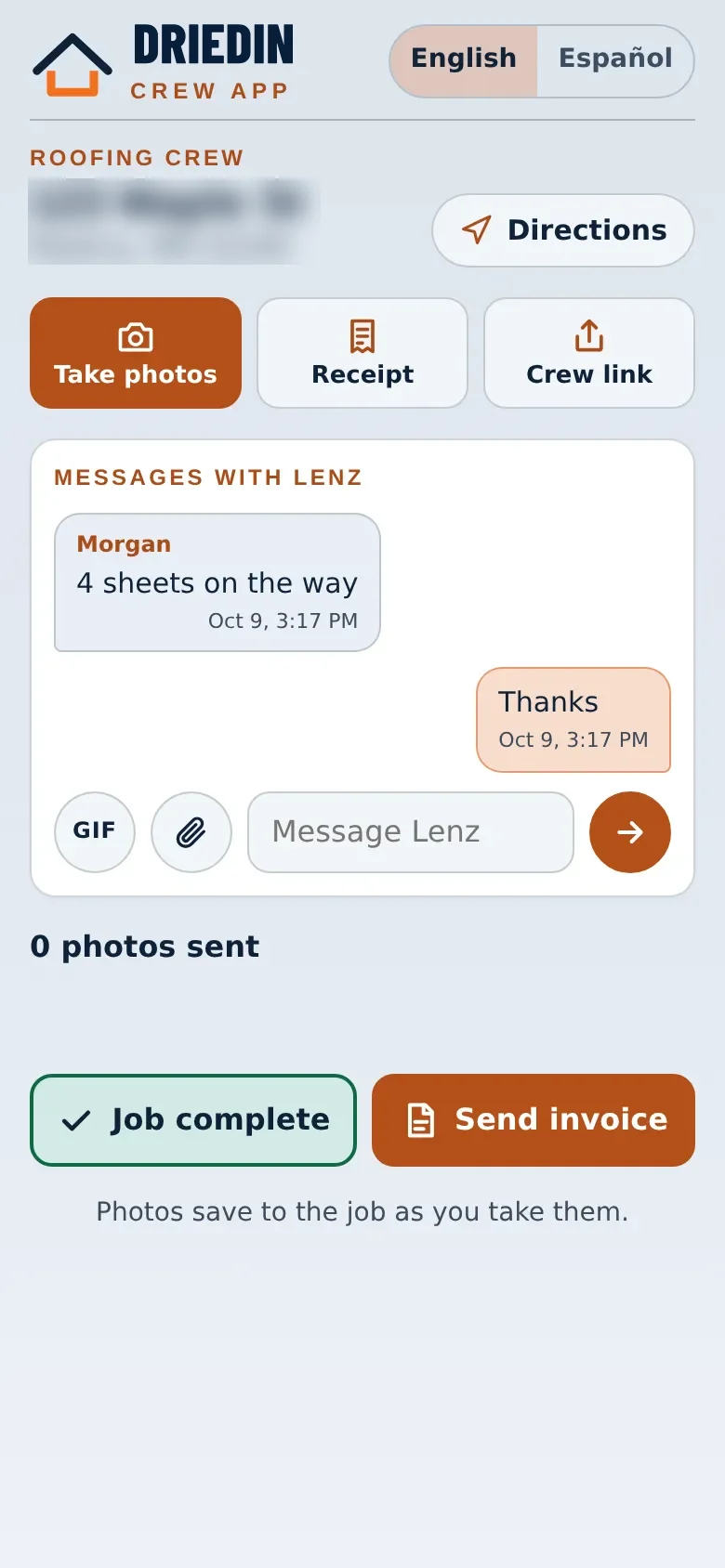
Your crews don't need another login.
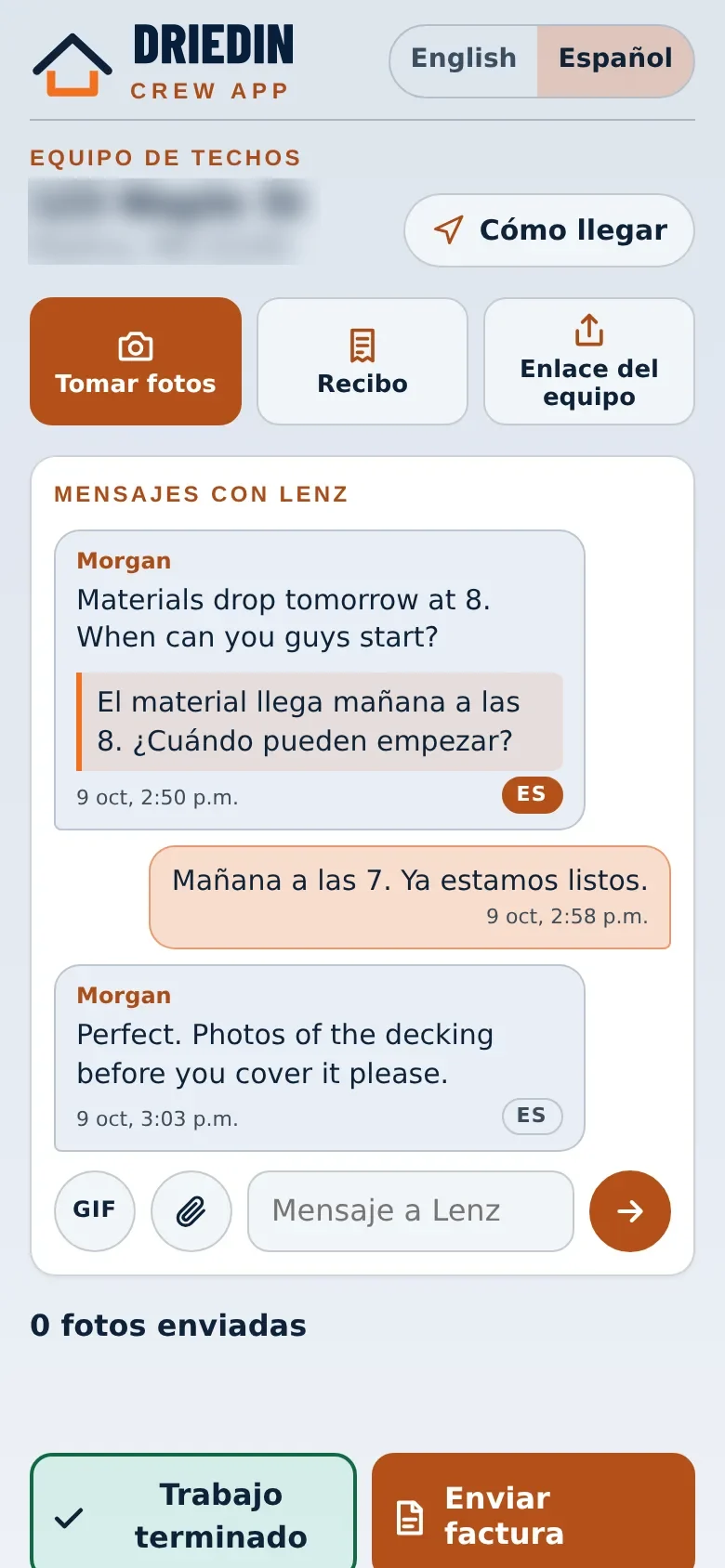
Send the crew one link by text or WhatsApp. It opens the job on their phone with the work order, directions, the camera and a chat with your office.
- No app store and no password. Every job the crew has is on one home-screen icon.
- Photos sorted by who took them and when, plus roof and siding build checklists.
- Two-way chat with one-tap translation between English and Spanish.
- Material receipts and the crew's invoice sent from the job, straight into its documents.
- Their insurance papers, signed agreements and warranty visits, all from the same link.
- The crew never sees the customer's name, phone number or what the job sold for.
On our own jobs right now.
Measurements
Roof squares and pitch, siding, windows, doors and gutters for each job, without ordering a report. A 3D model of the house you can turn, roof, siding and gutter diagrams, and a PDF for the crew.
Design view
See the house with new siding, roofing, trim and door colors before anything is ordered, from the makers' own colors.
We built it because we needed it.
DRIEDIN wasn't designed in a software office. It was built inside a multi-state storm restoration company to run our own door-knocking reps, insurance claims, estimates, crews and payroll.
Every screen exists because someone on our team needed it on a real job. When the tools we paid for couldn't keep up with how storm work actually runs, we built our own. It gets better every week because we use it every day. Now we're opening it up to other roofers.
Get your company dried in.
We're bringing on a small group of storm restoration companies first. Tell us about yours and we'll reach out to set up a walkthrough.